


Sanyo TV Remote Control
2.4272.00 Reviews
App Specs
- Version
- 1.0.9mts
- Updated On
- License
- Free
- Downloads
- 100,000+
- Developer
- Mobile Tools Shop
- Categories
- House & Home
- Platform
- Android
Screenshots
 Analysis by AppCompare
I usually judge a TV remote app by what happens after the first few days: does it become a useful habit, or does it end up being one more icon I forget about? That is the question I kept in mind with Sanyo TV Remote Control. It is a free House & Home app from Mobile Tools Shop, and its idea is straightforward: use a phone to control compatible Sanyo TVs rather than relying only on the physical remote. The appeal is immediate when the remote has gone missing, but its lasting value depends on how well it fits the way you watch television.
The first-week appeal: a handy backup within reach
In the first week, the benefit is easy to understand. Your phone is often already beside you, so using it to change the volume or move through a menu can save you from getting up or searching around the room. A realistic moment is pausing a show to answer the door, then picking it back up without hunting for the remote under cushions. That convenience is most noticeable when the phone is already in your hand; it is less compelling if you have to unlock it and open an app every time.
There is also a practical distinction between a remote replacement and a remote backup. I would treat this app as a useful second way to control the TV, not automatically as a reason to put the original remote away. A physical remote is ready without a phone battery, screen lock, or app launch. Keeping both options available makes more sense for shared living rooms, where not everyone wants to use a phone just to turn the volume down.
Pairing expectations and everyday setup
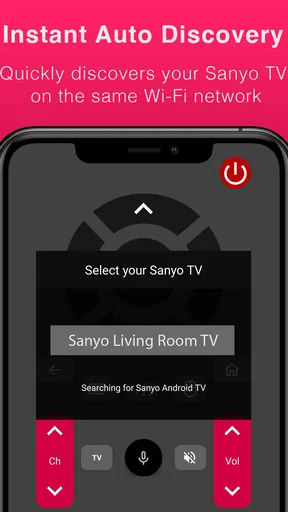
The setup described in the original experience uses a shared Wi-Fi network so the app can find and pair with the television. That makes the first thing to check simple: the phone and TV need to be on the same home network for this kind of connection. If a TV does not appear, I would check that basic arrangement before repeatedly tapping through the app. This is a useful troubleshooting habit because it separates a network mismatch from a problem with the controls themselves.
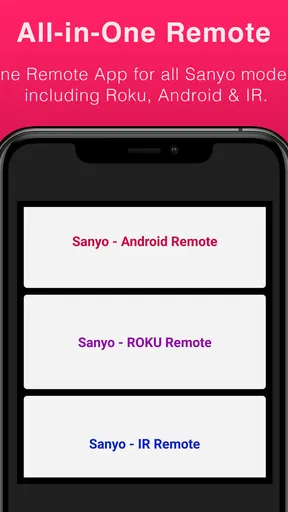
The app’s title and description cover Sanyo televisions that use Roku, Android, or infrared control, but those routes are not interchangeable in practice. A network-based setup depends on the TV and phone being able to communicate over the home network. Infrared control, where supported by the phone and setup, follows a different path and does not rely on the same Wi-Fi pairing. I would check which approach suits my particular TV and phone before making this my only remote. That compatibility check is more useful than assuming every Sanyo model behaves identically.
Month-to-month value: small conveniences, repeated often
After the novelty wears off, the strongest reason to keep a remote app is repetition. If you adjust the volume, switch inputs, or navigate TV menus several times during an ordinary evening, avoiding a search for the physical remote can add up to a real quality-of-life improvement. If you watch only occasionally and leave the remote in a fixed place, the app may not earn much attention. I would decide based on how often I actually reach for it, not on how many controls sound appealing at first.
One useful way to make the app part of a routine is to keep the phone in a familiar place during viewing, such as on the coffee table, rather than letting it disappear into another room. That does not make the app faster, but it reduces the friction of opening it. It also helps avoid a silly trade-off: walking across the room to retrieve a phone just to avoid walking across the room to retrieve a remote.
Worth Reading Before You Choose

EA SPORTS FC Mobile 26 Is a Bigger Football Game, but It Takes Time

Flipboard Shows What News Apps Must Do Beyond the Feed

Switching to Android Auto Means Rethinking Your Driving Routine

Google Calendar Makes a Crowded Week Easier to Manage

Ludo King Makes the Most of the Minutes Between Plans

Baby Panda World Brings Quick Play to Modern Phones, but Its Game Library Feels Busy
The app has a low barrier to trying it: it is free to install, is rated for Everyone, and its current version is 1.0.9mts. It has been available since May 20, 2016, and has passed 100,000 installs. Those details suggest that it has had a long presence, but they do not guarantee that it will suit a particular TV setup. Its average rating is 2.3 from around 1,300 ratings, with 272 written reviews, so I would be cautious rather than assuming a smooth experience for every user. In-app purchases range from $0.99 to $29.99 per item, which is worth keeping in mind before paying for anything; I would first establish whether the basic control path works for my television.
Maintenance and the habits that keep it useful
A phone remote has a different kind of upkeep from a physical one. The handset itself does not need to be found or have its batteries replaced, but the phone needs enough charge, and the app needs to remain convenient to open. If I use it only when the original remote is missing, I may have to remember where the app is and whether the connection is ready. A good routine is to test the essential controls during setup, then leave the app available as a backup instead of waiting for a stressful moment to discover whether it works.
There is also a household factor. A phone-based remote is personal by nature: the device may be locked, in someone else’s hands, or being used for something else. In a home where several people share the TV, that can make a dedicated remote more dependable for quick, spontaneous changes. For one person who keeps a phone close by, the app can be more convenient; for a group that passes control around, the physical remote may remain the simpler shared tool.
Where fatigue can set in
The main source of frustration is the extra step between wanting a change and making it. A slight delay in a command is easy to forgive once, but repeated pauses can make a phone feel less direct than a button on a physical remote. Connection requirements can also make the experience less dependable if the television and phone are not communicating as expected. When watching a live event or trying to adjust volume quickly, even modest friction is more noticeable than it is during casual browsing.
Phone controls also come with a trade-off in feel. A touch surface can be convenient for moving through menus, but it does not offer the same raised, tactile buttons that let you change volume by touch without looking down. The phone screen may be bright in a dark room, and opening an app can interrupt the relaxed feeling of watching. These are not deal-breakers for everyone, but they explain why a remote app can be handy without becoming the preferred controller.
Who should keep it—and who should skip it
I think this app makes most sense for someone with a compatible Sanyo TV who often has a phone nearby and wants a backup control option. It is especially useful when the physical remote gets misplaced, when you want to make occasional adjustments from the couch, or when a phone-based interface suits your habits. Before depending on it, I would verify that the TV is supported and that the intended connection method works with my setup. The minimum operating system is Android 6.0, so an older Android device below that level is not a fit.
I would skip it if I expect a phone to behave exactly like a dedicated remote in every situation, if I dislike unlocking a screen to make simple changes, or if my television cannot use a supported control method. Someone who wants one reliable controller for a whole household may be better off keeping the original remote or choosing a compatible universal remote. Those options avoid the phone’s battery and screen steps, although they do not offer the same convenience of having controls on a device already in your hand.
Before installing, I would answer three practical questions for myself: is my Sanyo TV compatible, can I use the connection method it needs, and will I actually keep my phone nearby while watching? If the answers are yes, trying the free app is a reasonable low-commitment experiment. If any answer is no, the original remote is likely the less frustrating choice. I would also avoid paying for an in-app item until I had tested the basic controls and decided the app fits my routine.
For context, remote-control apps compete with the physical remote, a universal handset, and any control options built into the TV’s own ecosystem. The physical remote usually wins on instant access and tactile buttons. A universal remote can be a better fit when you want a dedicated controller, while an app has the advantage of being on a phone you already carry. None of those choices is automatically best: the right one depends on whether you value convenience at hand, dependable shared access, or physical buttons most.
Getting Started with the Sanyo TV Remote Control App
First things first, downloading and setting up the Sanyo TV Remote Control app is a breeze. Available on both Android and iOS, you just need to head over to your respective app store, hit download, and let the magic happen. Once installed, you’ll be prompted to connect your phone to the same Wi-Fi network as your Sanyo TV. Simple, right? The app then searches for your TV and pairs up like it’s meant to be. No fuss, no muss.
Features That Make Life Easier
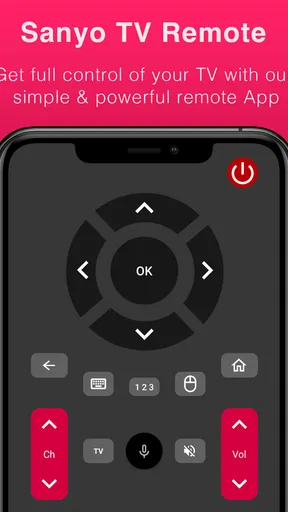
Now, let’s dive into what this app brings to the table. The interface is clean and intuitive, which I appreciate because who has time to read a manual, right? The app replicates all the functions of a traditional remote, from changing channels to adjusting the volume. But wait, there’s more! It also includes some sweet extras.
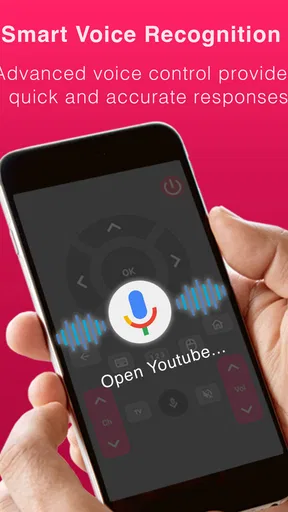
- Voice Commands: Feeling too lazy to tap a button? Just use your voice. This feature is a game-changer, especially when you’re comfortably nestled in your blanket.
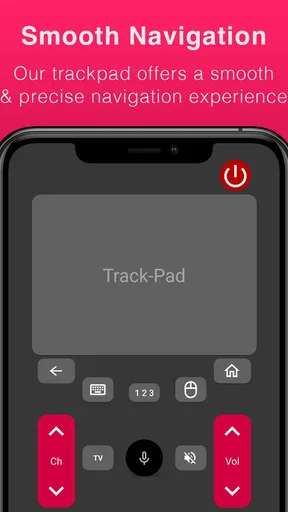
- Touchpad Navigation: Swiping through apps and options on your TV has never been easier. It’s like having a mini trackpad right on your phone.
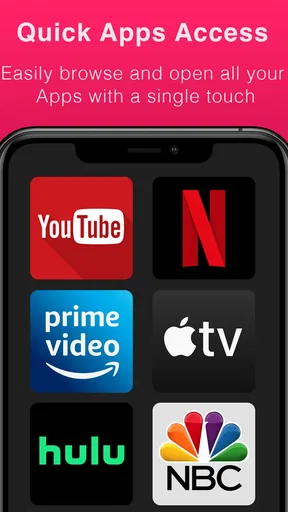
- One-Touch Access: Quickly jump to your favorite streaming services without navigating through endless menus.
My Personal Experience
Okay, let’s get real here. Using the app was like unlocking a new level of convenience in my daily TV-watching routine. I loved how effortless it was to switch between channels and adjust settings without ever leaving my spot on the couch. The touchpad feature felt natural, and the voice command worked like a charm. "Hey, Sanyo," and boom, I was there.
However, it’s not all sunshine and rainbows. Occasionally, there was a slight lag when executing commands, but nothing that made me want to throw my phone across the room. Just a tiny blip in an otherwise smooth experience.
Who Would Love This App?
If you’re someone who values convenience and always has their phone glued to their hand, you’re going to love this app. It’s perfect for tech enthusiasts and casual users alike. Plus, it’s a lifesaver for those moments when the remote is MIA.
On the flip side, if you’re not a fan of using your phone for everything or if you’re stuck with an older TV model that doesn’t support Wi-Fi, you might want to stick with your trusty old remote.
Final Thoughts
In conclusion, the Sanyo TV Remote Control app is a solid choice for anyone looking to upgrade their TV experience. It’s packed with features that cater to modern viewing habits and provides a seamless way to control your TV. While it’s not perfect, it’s pretty darn close.
So, if you’re tired of losing your remote or just want to streamline your TV time, give this app a try. Who knows, it might just become your new favorite way to channel surf. Happy watching!
Pros
- Easy setup with most Sanyo models.
- User-friendly interface design.
- Includes all basic TV functions.
- Supports voice command features.
- Quick response time to inputs.
Cons
- Contains ads that can be intrusive.
- Limited features for older TV models.
- No option for custom button layouts.
- Requires Wi-Fi connection to function.
- May not support all Sanyo models.
FAQs for Sanyo TV Remote Control
What features does the Sanyo TV Remote Control app offer?
The Sanyo TV Remote Control app turns your smartphone into a universal remote for your Sanyo TV. It offers features such as volume control, channel navigation, and input source selection. It also includes a customizable interface and quick access buttons for your favorite channels, enhancing user convenience.
Is the Sanyo TV Remote Control app compatible with all Sanyo TV models?
The app is designed to work with most Sanyo TV models, but compatibility may vary depending on the specific model and year of manufacture. It is recommended to check the app's compatibility list or contact customer support to ensure it meets your TV’s requirements before downloading.
Does the Sanyo TV Remote Control app require an internet connection?
The app primarily uses infrared (IR) technology to connect to your TV, so it does not require an internet connection for basic functions. However, features that involve updates or additional services might need internet access. Ensure your device has an IR blaster for optimal performance.
How user-friendly is the Sanyo TV Remote Control app for beginners?
The app is designed with a simple and intuitive interface, making it accessible for users of all ages and technical abilities. It includes easy-to-follow instructions and a straightforward setup process, allowing even beginners to start using the app quickly and efficiently without technical difficulties.
Are there any costs associated with using the Sanyo TV Remote Control app?
The app is generally free to download and use for basic remote functions. However, it may offer in-app purchases or premium features that require payment. It's advisable to review the app's pricing details on the app store to understand any potential costs involved.


